> For the complete documentation index, see [llms.txt](https://docs.goodcrypto.app/llms.txt). Markdown versions of documentation pages are available by appending `.md` to page URLs; this page is available as [Markdown](https://docs.goodcrypto.app/dex-trading-spot/manual-orders/limit.md).
# Limit
Limit (or stop market) order sends a swap to the exchange when the chosen limit price is reached.
Setting up a limit order has only one difference from setting up a [swap](/dex-trading-spot/manual-orders/swap.md) order - you have to set the price at which you want your swap to be sent to the exchange:
On this screenshot we are bying ETH ('Get') with USDT ('Spend'). Current market price is 3,370.11 USDT for 1 ETH as shown on chart. We set the limit price to 3,000 USDT for 1 ETH. Once the swap is confirmed, our system will wait for the market price to fall to 3,000 USDT and send the swap to the exchange once it does.
Since goodcryptoX is a [non-custodial](broken://pages/L4Iv87EmMqUe8950OX0w) wallet, we will use the [session key](/wallets/built-in-wallet/smart-contract-wallets/session-keys.md) to execute (sign) the swap.
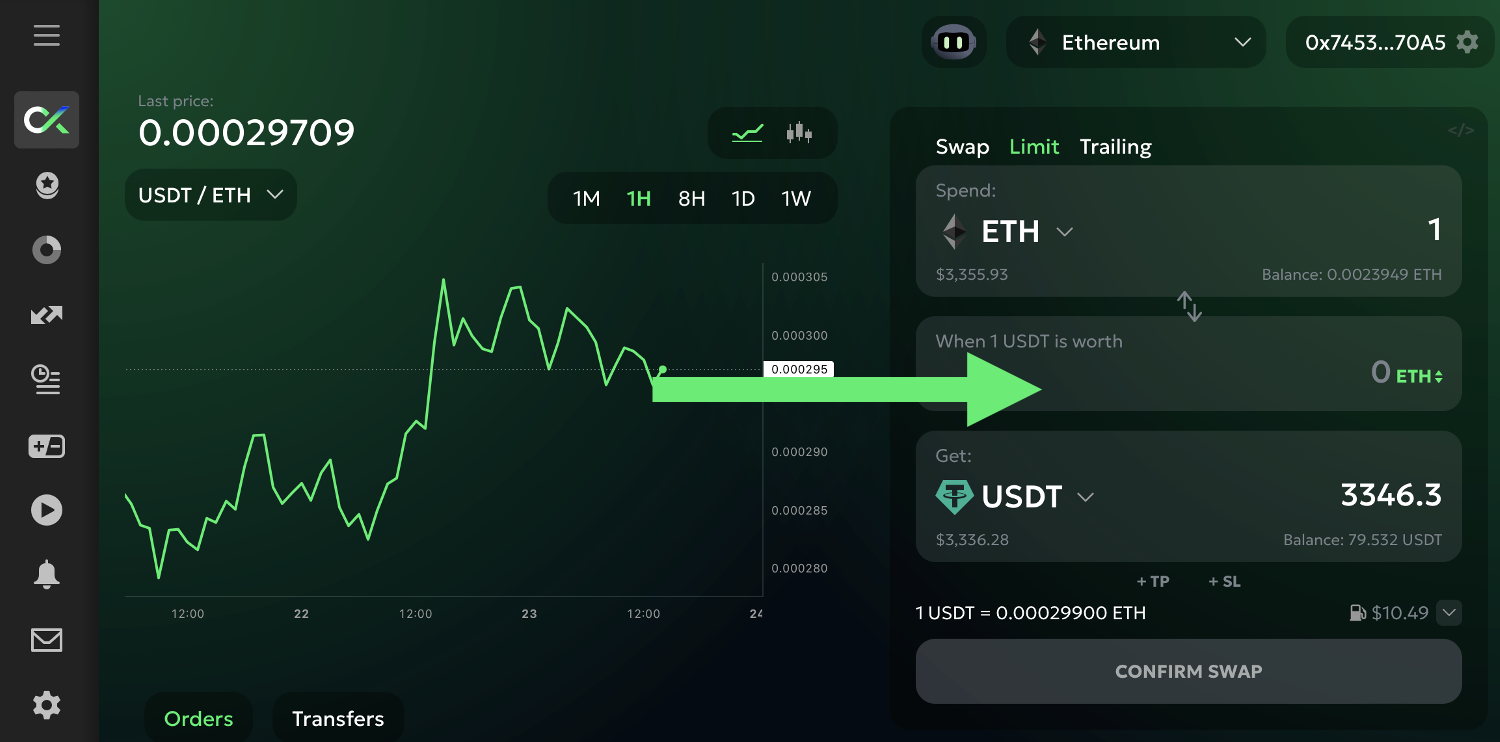
Note that if we want to sell ETH for USDT, the limit price will initially be denominated in ETH (the 'Spend' or quote currency):
The chart will show the USDT/ETH pair.
However, by clicking on 'ETH' in the limit price field, you can switch the price to USDT ('Get' or base currency). This way, it will be easier to set up an order that, say, will sell ETH when its price rises to, for example, 5,000 USDT or falls to 2,000 USDT.
Switching the limit price currency will automatically switch the chart as well.
Also note, that the route and its details, such as price impact and expected gas cost, are based on the current market. Your limit order, however, will execute at some point in the future. Thus, the route, the price impact, and the gas cost might be different at that point.
Before confirming the swap, choose whether to attach a [Stop Loss](/dex-trading-spot/manual-orders/stop-loss.md) and/or a [Take Profit](/dex-trading-spot/manual-orders/take-profit.md) to this order.
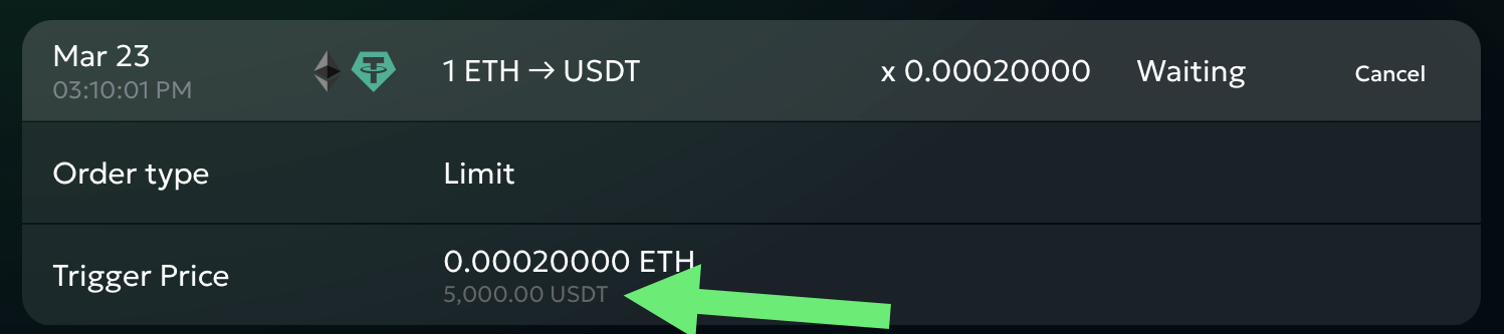
Once you confirm the swap, it will immediately appear in the 'Orders' list (at this point your order lives on our servers only) as 'Waiting':
You can cancel an open ('Waiting') limit order at any point by clicking the 'cancel' button next to it.
Note that despite setting the limit price in USDT ('Get') for this order, it will still be shown in ETH ('Spend') in the orders list. If you want to see its USDT ('Get') equivalent, click on the order to expand its details:
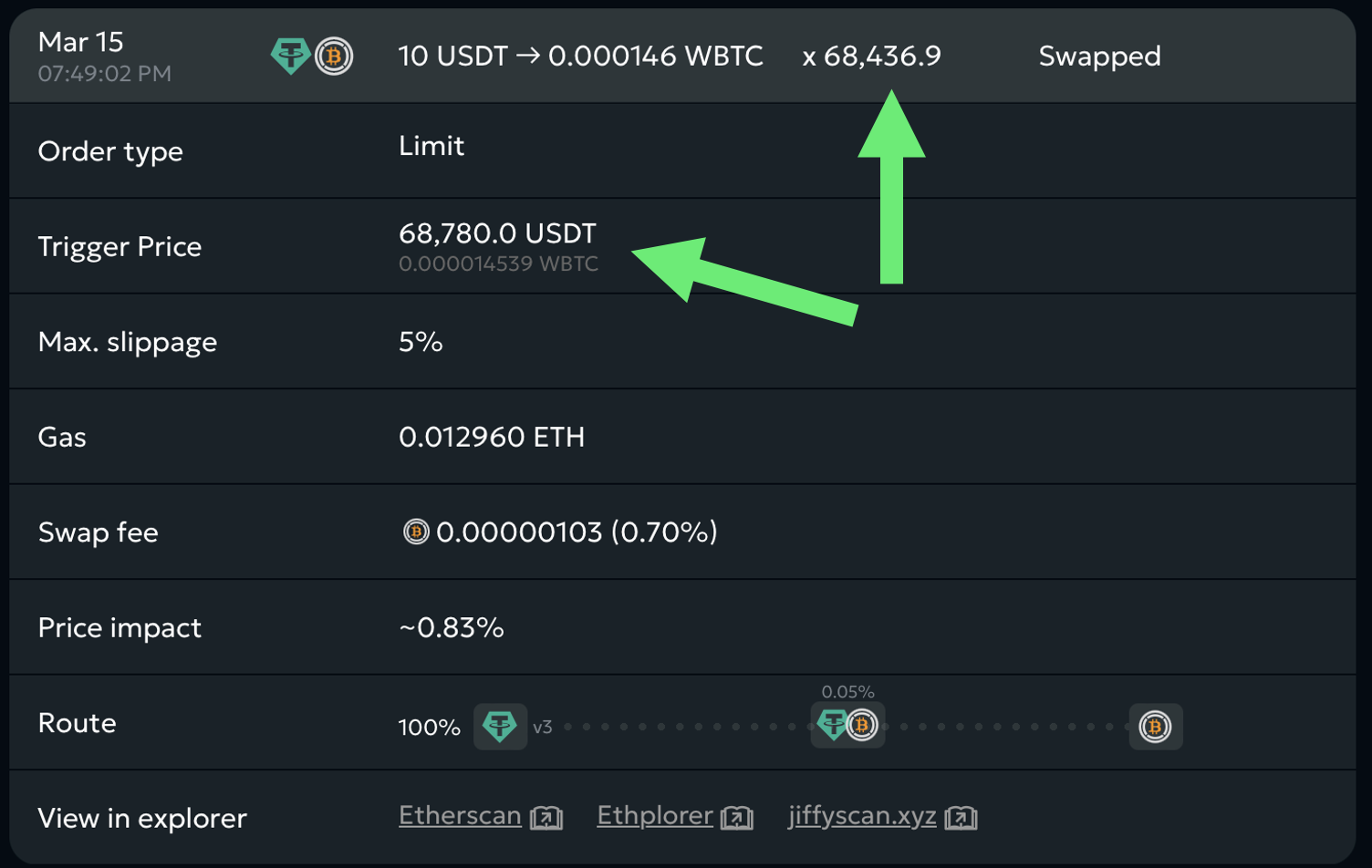
Once your target limit price is reached, the order will trigger and send the swap to the exchange. Once it executes, the order status will change to 'Swapped' and will show the actual execution price, actual amount of coins that you received or spent, actual price impact, and the gas cost.
Note that the limit price that you set ('Trigger Price' in order details) and the actual execution price of the swap will differ due to price impact, slippage, and pool fees:
If you've enabled push notifications for GoodCrypto in your browser or have them set up in GoodCrypto iOS or Android apps, you will receive a [notification](broken://pages/EK7yY7NIySAZ1HhY8LZj) once your limit order executes.
If you attached TP and/or SL to your limit order, they will become active ('Waiting') at this point.