> For the complete documentation index, see [llms.txt](https://docs.goodcrypto.app/llms.txt). Markdown versions of documentation pages are available by appending `.md` to page URLs; this page is available as [Markdown](https://docs.goodcrypto.app/goodcryptox-es/billeteras/billetera-integrada/comprar-monedas-con.md).

# Comprar monedas con 💳

Puedes comprar **SOL, ETH, USDT, USDC**, y muchos otros tokens directamente en tu billetera goodcryptoX en Solana, Ethereum, Base, BSC o Arbitrum — usando tarjeta de crédito o cuenta bancaria.&#x20;

Todas las compras son procesadas por **Banxa**, un proveedor de on-ramp fiduciario de confianza que ofrece algunas de las mejores tarifas del mercado.&#x20;

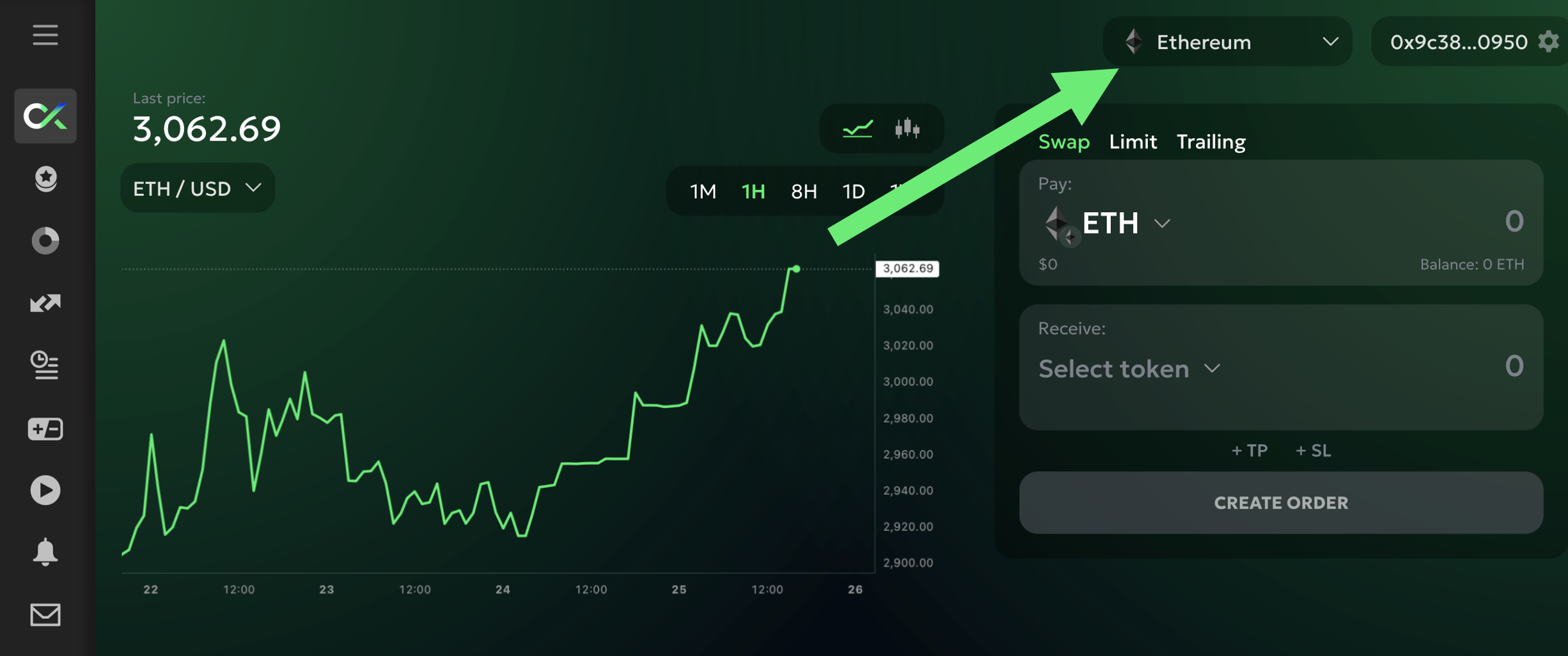
Para comenzar, selecciona la red en la que deseas recibir tus monedas:

<figure><img src="/files/43007392a9d9d8a1e9e146b030eede2dc0fc449d" alt="" width="375"><figcaption></figcaption></figure>

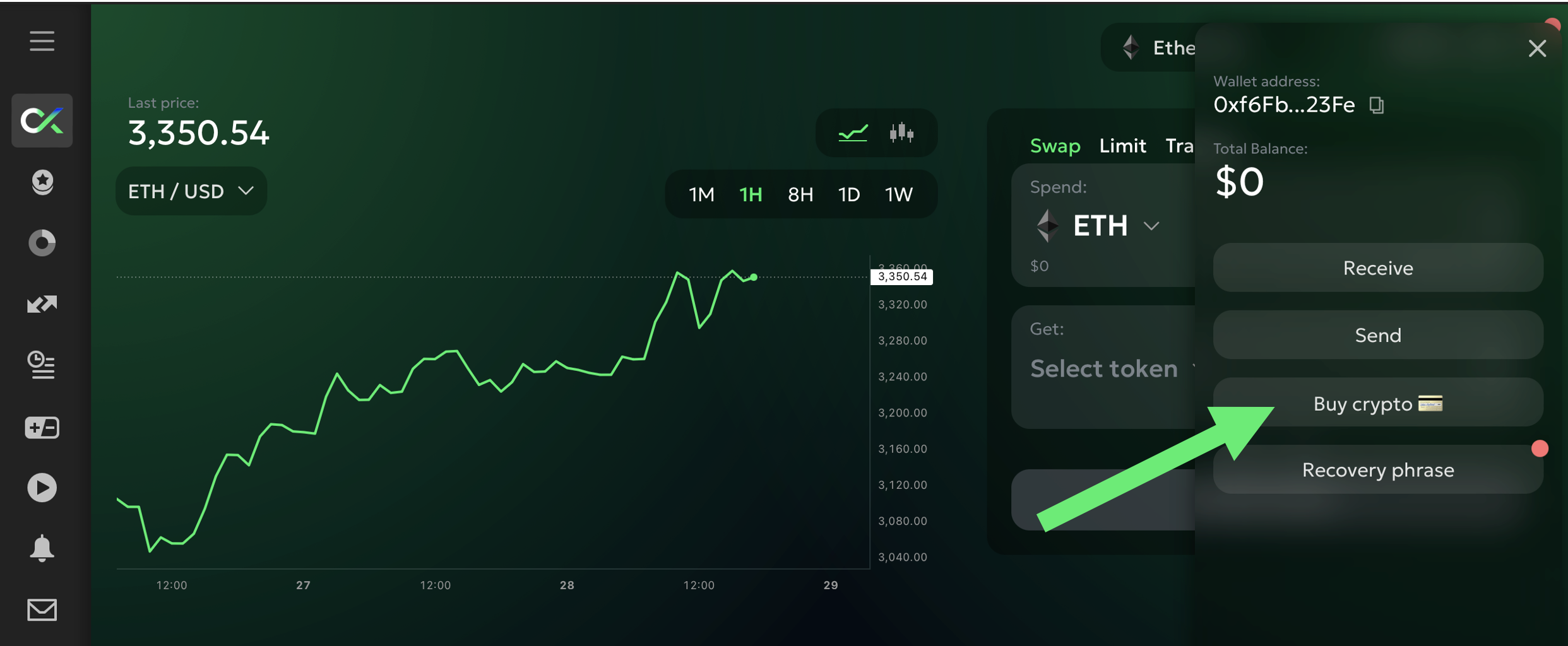
Luego haz clic en el `Comprar cripto 💳` botón en la pestaña Wallet:

<figure><img src="/files/744339780eede3de6ae25f0b406ae8820ddbc96a" alt="" width="375"><figcaption></figcaption></figure>

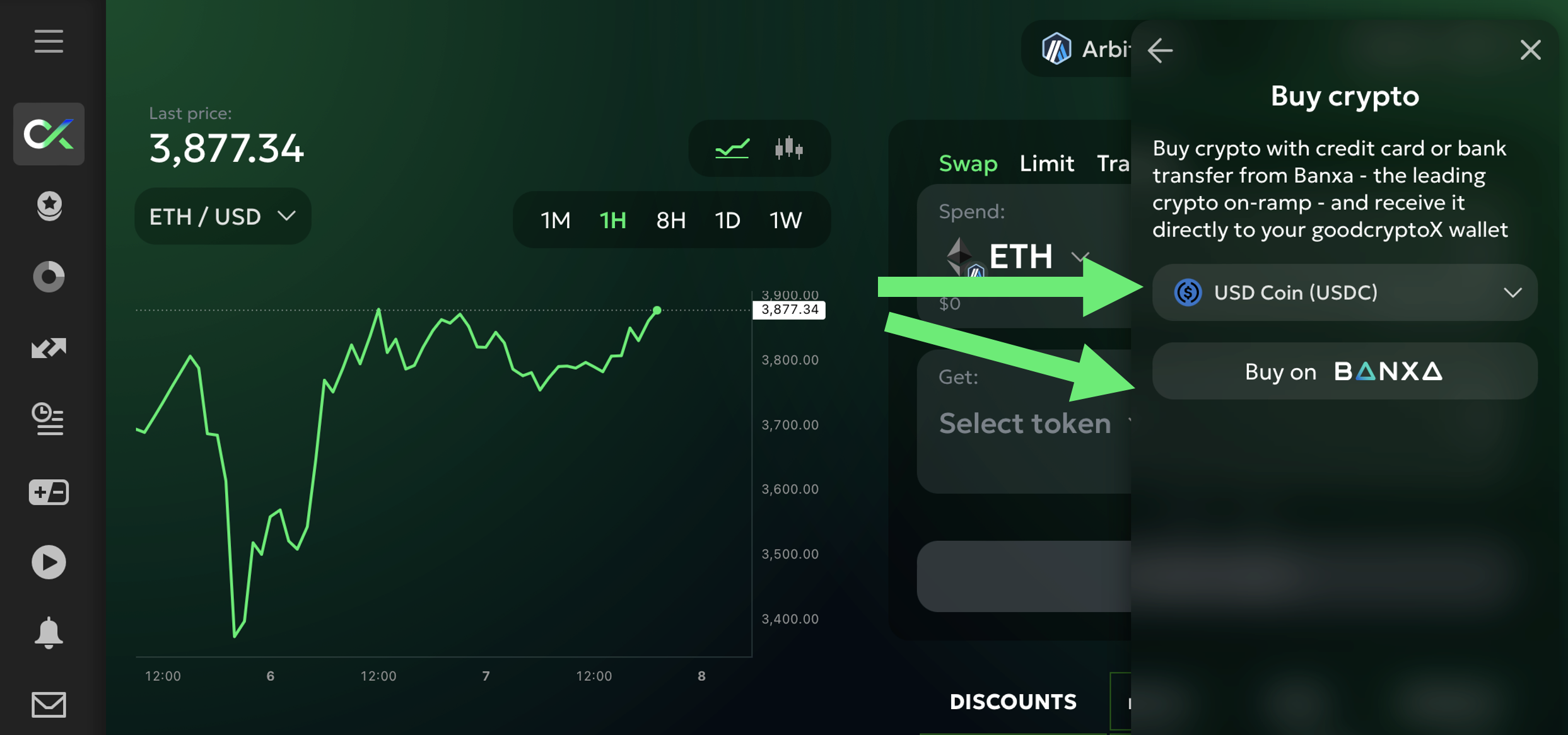
A continuación verás la lista de monedas disponibles para comprar. Elige la moneda que deseas y haz clic en `Comprar en Banxa`:

<figure><img src="/files/b6c2870aee7d6d96a994bd910d0261bc5a613208" alt="" width="375"><figcaption></figcaption></figure>

Serás redirigido a la página de pago segura de Banxa, donde puedes:

* Ingresar la cantidad que deseas comprar
* Elegir tu método de pago preferido
* Ver instantáneamente tu cotización y las tarifas

Después de completar la verificación y confirmar la transacción, tus monedas serán enviadas directamente a tu **billetera goodcryptoX** en la red seleccionada.
---

# Agent Instructions
This documentation is published with GitBook. GitBook is the documentation platform designed so that both humans and AI agents can read, navigate, and reason over technical content effectively. Learn more at gitbook.com.

## Querying This Documentation
If you need additional information that is not directly available in this page, you can query the documentation dynamically by asking a question.

Perform an HTTP GET request on the current page URL with the `ask` query parameter:

```
GET https://docs.goodcrypto.app/goodcryptox-es/billeteras/billetera-integrada/comprar-monedas-con.md?ask=<question>
```

The question should be specific, self-contained, and written in natural language.
The response will contain a direct answer to the question and relevant excerpts and sources from the documentation.

Use this mechanism when the answer is not explicitly present in the current page, you need clarification or additional context, or you want to retrieve related documentation sections.
