> For the complete documentation index, see [llms.txt](https://docs.goodcrypto.app/llms.txt). Markdown versions of documentation pages are available by appending `.md` to page URLs; this page is available as [Markdown](https://docs.goodcrypto.app/goodcryptox-it/wallet/wallet-integrato/compra-monete-con.md).

# Compra monete con 💳

Puoi acquistare **SOL, ETH, USDT, USDC**, e molti altri token direttamente nel tuo wallet goodcryptoX su Solana, Ethereum, Base, BSC o Arbitrum — utilizzando carta di credito o conto bancario.&#x20;

Tutti gli acquisti sono elaborati da **Banxa**, un fornitore di on-ramp fiat affidabile che offre alcune delle migliori tariffe sul mercato.&#x20;

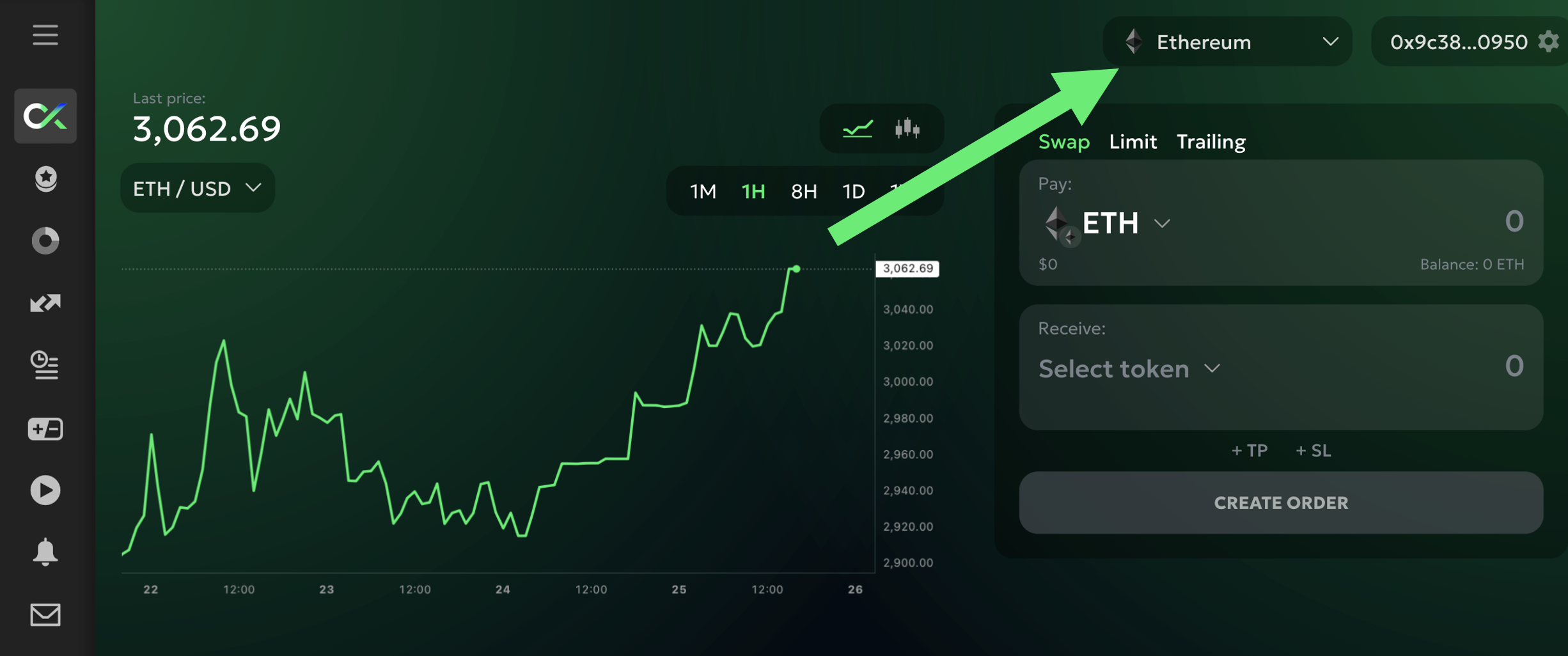
Per iniziare, seleziona la rete su cui vuoi ricevere le tue monete:

<figure><img src="/files/eca5d0458278cb191d1c8ab521b3b884c3b60df8" alt="" width="375"><figcaption></figcaption></figure>

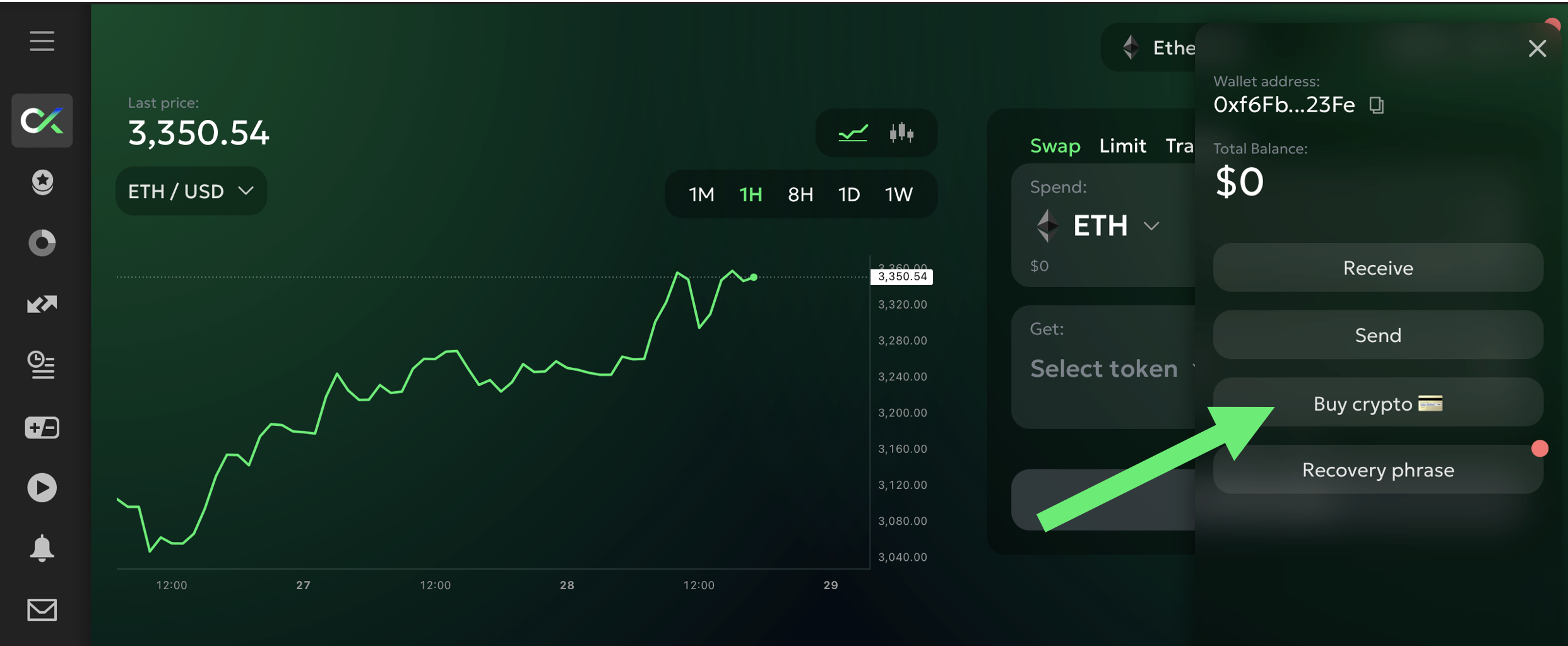
Quindi fai clic su `Acquista crypto 💳` pulsante nella scheda Wallet:

<figure><img src="/files/f7ad3a5ed24778e7c47e7412f00e2dad103e4ab3" alt="" width="375"><figcaption></figcaption></figure>

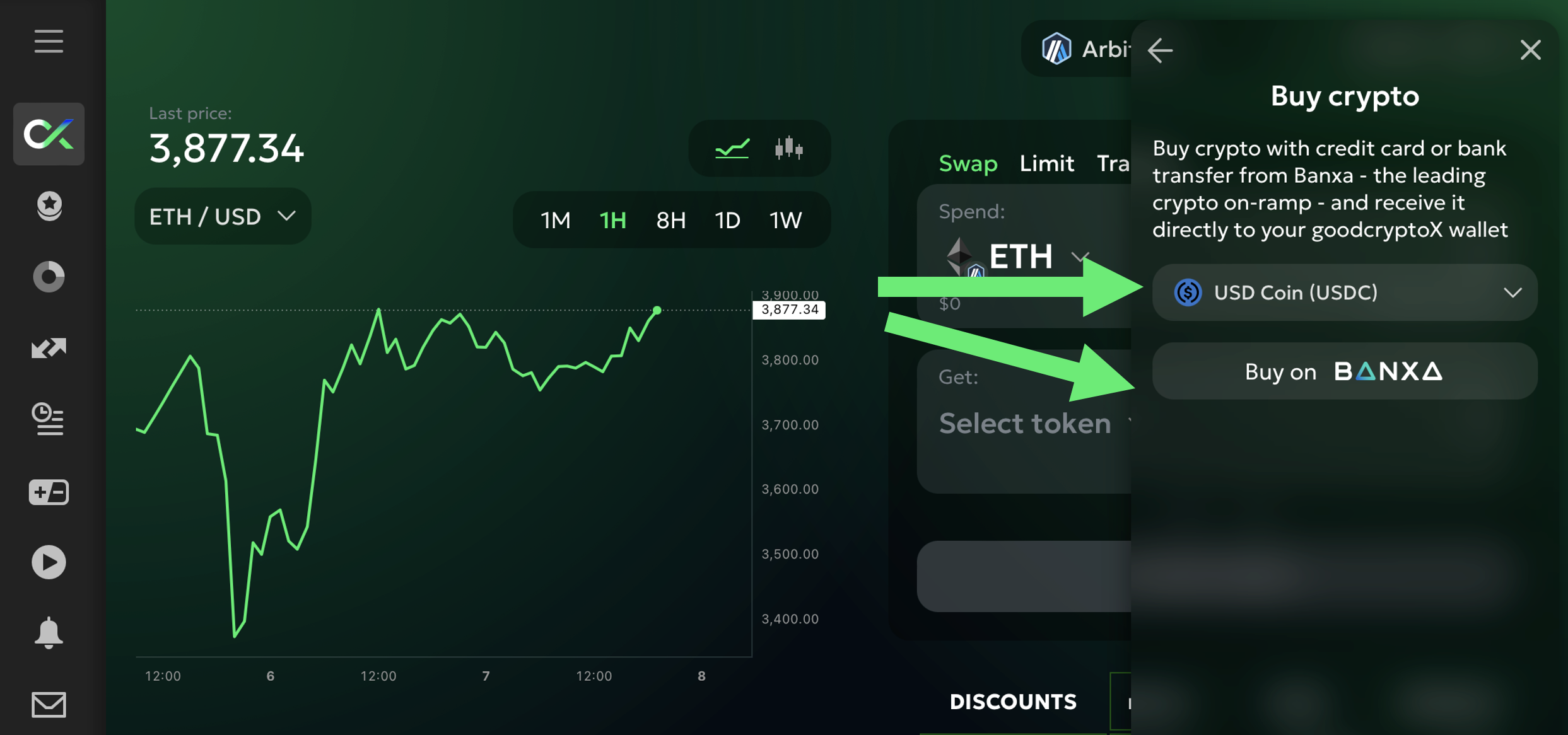
Vedrai quindi l'elenco delle monete disponibili per l'acquisto. Scegli la moneta che desideri e fai clic su `Acquista su Banxa`:

<figure><img src="/files/eaad32142746cff472da8f6e11695649de444e9e" alt="" width="375"><figcaption></figcaption></figure>

Verrai reindirizzato alla pagina di checkout sicura di Banxa, dove puoi:

* Inserire l'importo che desideri acquistare
* Scegliere il tuo metodo di pagamento preferito
* Vedere istantaneamente il tuo preventivo e le commissioni

Dopo aver completato la verifica e confermato la transazione, le tue monete saranno inviate direttamente al tuo **wallet goodcryptoX** sulla rete selezionata.
---

# Agent Instructions
This documentation is published with GitBook. GitBook is the documentation platform designed so that both humans and AI agents can read, navigate, and reason over technical content effectively. Learn more at gitbook.com.

## Querying This Documentation
If you need additional information that is not directly available in this page, you can query the documentation dynamically by asking a question.

Perform an HTTP GET request on the current page URL with the `ask` query parameter:

```
GET https://docs.goodcrypto.app/goodcryptox-it/wallet/wallet-integrato/compra-monete-con.md?ask=<question>
```

The question should be specific, self-contained, and written in natural language.
The response will contain a direct answer to the question and relevant excerpts and sources from the documentation.

Use this mechanism when the answer is not explicitly present in the current page, you need clarification or additional context, or you want to retrieve related documentation sections.
