> For the complete documentation index, see [llms.txt](https://docs.goodcrypto.app/llms.txt). Markdown versions of documentation pages are available by appending `.md` to page URLs; this page is available as [Markdown](https://docs.goodcrypto.app/goodcryptox-ru/koshelki/vstroennyi-koshelyok/pokupka-monet-s-pomoshyu.md).

# Покупка монет с помощью 💳

Вы можете купить **SOL, ETH, USDT, USDC**, и многие другие токены напрямую в ваш кошелек goodcryptoX в сетях Solana, Ethereum, Base, BSC или Arbitrum — с помощью кредитной карты или банковского счета.&#x20;

Все покупки обрабатываются **Banxa**, проверенным провайдером фиатного он-рампа, предлагающим одни из лучших ставок на рынке.&#x20;

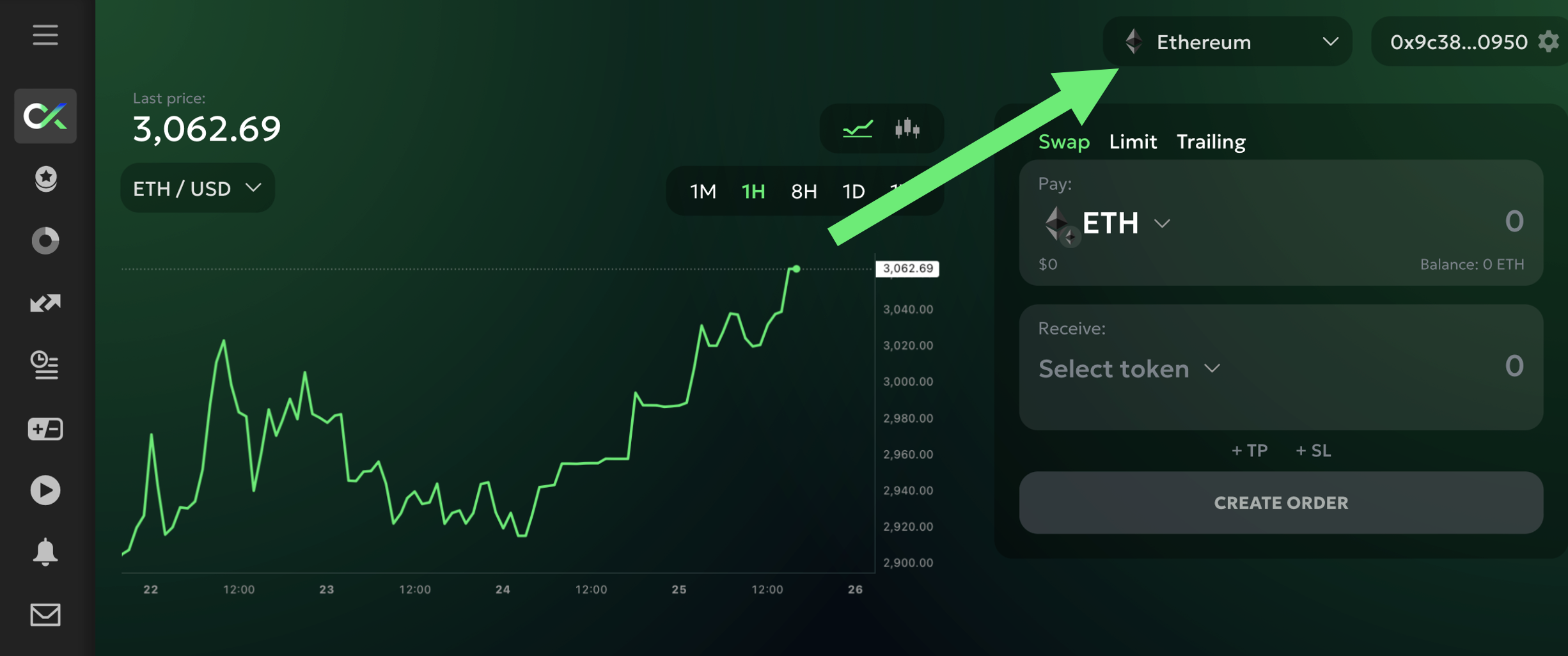
Чтобы начать, выберите сеть, на которую вы хотите получить свои монеты:

<figure><img src="/files/d733a25d98206704b90e3dffea5084650db5c2f5" alt="" width="375"><figcaption></figcaption></figure>

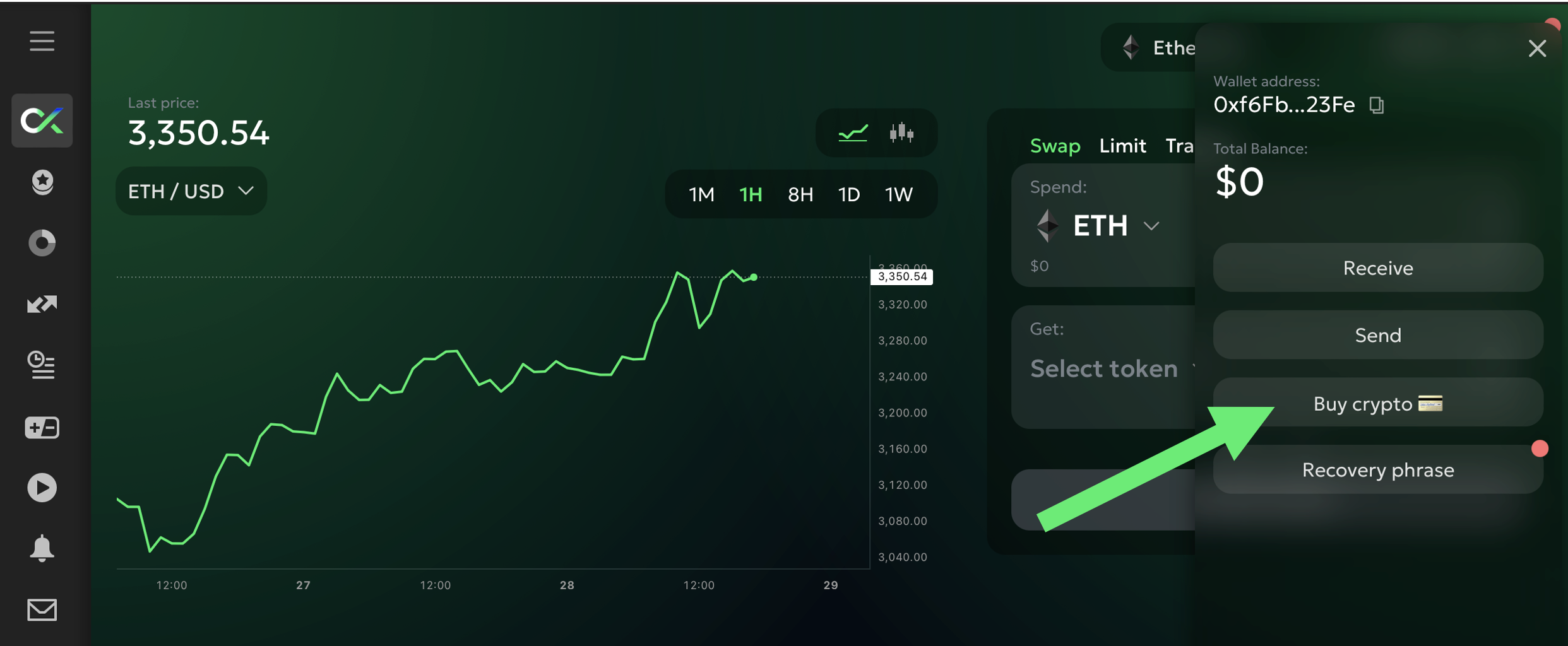
Затем нажмите `Купить крипто 💳` кнопку во вкладке «Кошелек»:

<figure><img src="/files/92cf18dbb52b766725caa239c1a15755e9263dce" alt="" width="375"><figcaption></figcaption></figure>

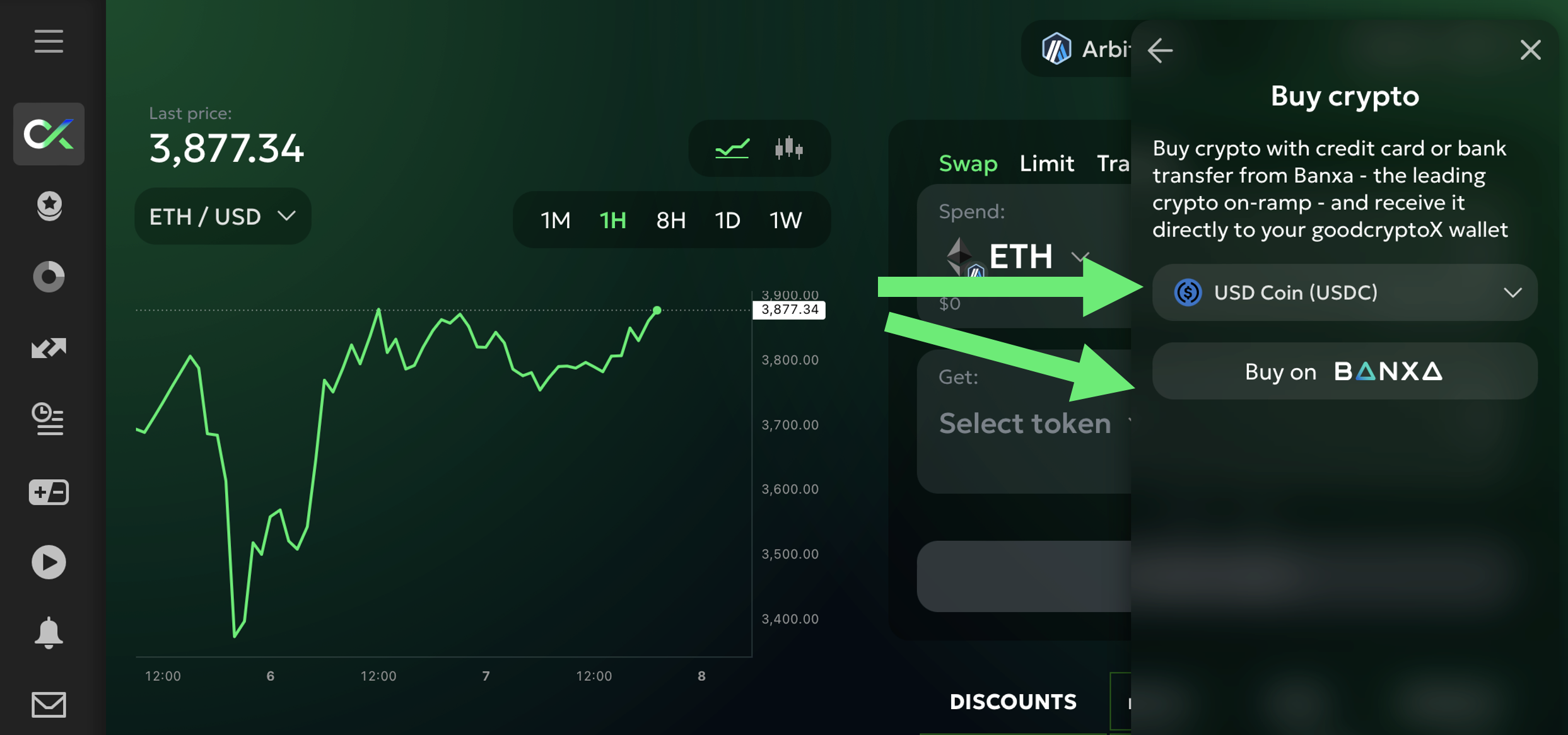
Затем вы увидите список монет, доступных для покупки. Выберите монету, которую хотите, и нажмите `Купить на Banxa`:

<figure><img src="/files/aaf97e6669f840176e7ffc8a4d97ee5465d85363" alt="" width="375"><figcaption></figcaption></figure>

Вы будете перенаправлены на защищенную страницу оформления заказа Banxa, где вы можете:

* Введите сумму, которую хотите приобрести
* Выберите предпочитаемый способ оплаты
* Мгновенно увидеть ваш курс и комиссии

После завершения верификации и подтверждения транзакции ваши монеты будут отправлены непосредственно в ваш **кошелек goodcryptoX** в выбранной сети.
---

# Agent Instructions
This documentation is published with GitBook. GitBook is the documentation platform designed so that both humans and AI agents can read, navigate, and reason over technical content effectively. Learn more at gitbook.com.

## Querying This Documentation
If you need additional information that is not directly available in this page, you can query the documentation dynamically by asking a question.

Perform an HTTP GET request on the current page URL with the `ask` query parameter:

```
GET https://docs.goodcrypto.app/goodcryptox-ru/koshelki/vstroennyi-koshelyok/pokupka-monet-s-pomoshyu.md?ask=<question>
```

The question should be specific, self-contained, and written in natural language.
The response will contain a direct answer to the question and relevant excerpts and sources from the documentation.

Use this mechanism when the answer is not explicitly present in the current page, you need clarification or additional context, or you want to retrieve related documentation sections.
